


Source-led route
Gaijin publishes Mac requirements and an installation guide for War Thunder. Its requirements page names Intel Core processors but no Apple silicon chip or list of Mac models. The page therefore does not establish whether a particular Apple silicon Mac is supported.
RigCircuit has not tested War Thunder on a Mac. Gaijin's requirements and installation pages were checked on September 20, 2026. No compatibility, frame rate or temperature claim is made for any Mac model.
Evidence
Official Mac requirements
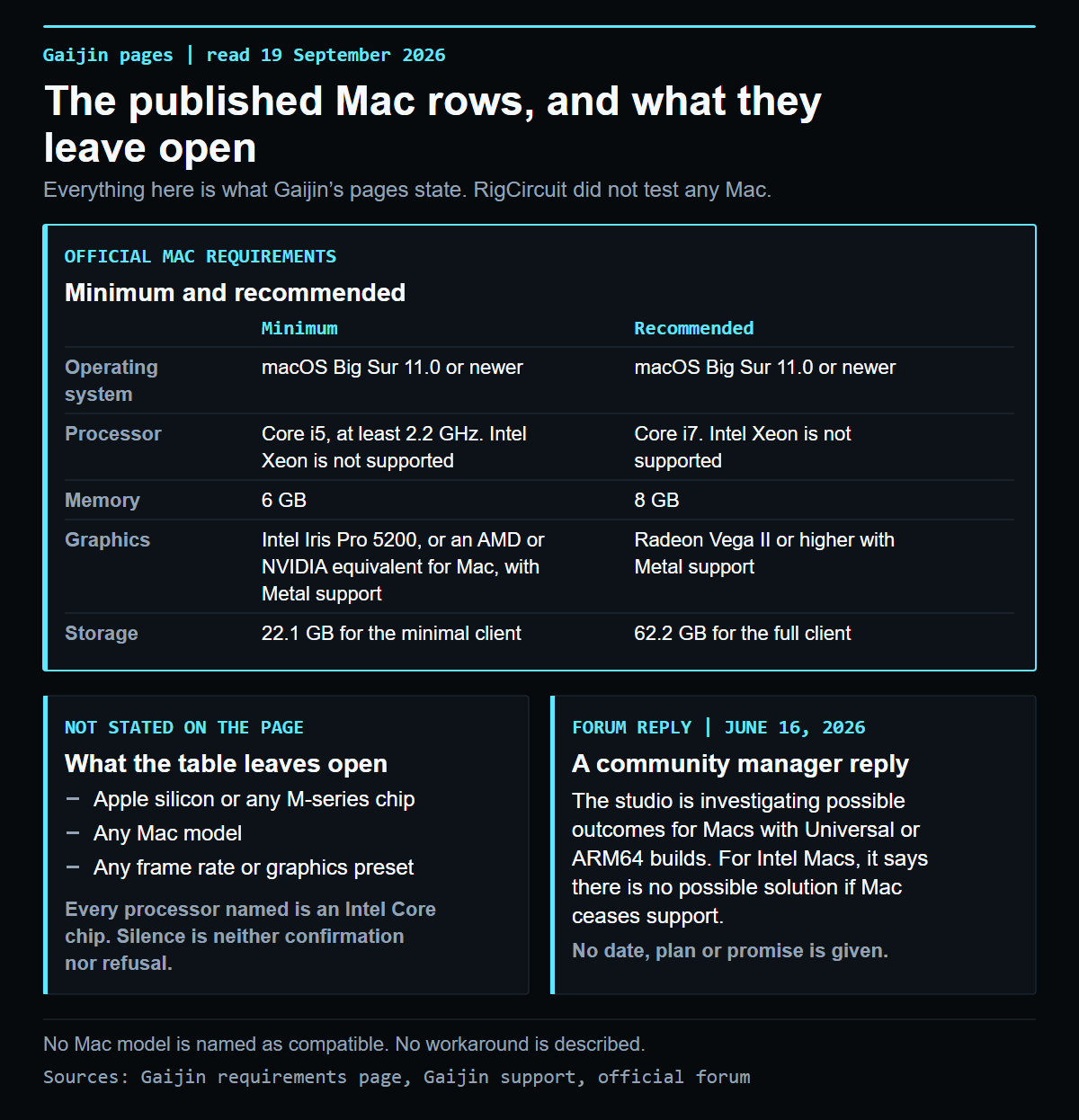
The War Thunder requirements page[1] lists Mac requirements next to the Windows and Linux ones.
| Component | Minimum | Recommended |
|---|---|---|
| Operating system | macOS Big Sur 11.0 or newer | macOS Big Sur 11.0 or newer |
| Processor | Core i5, at least 2.2 GHz. Intel Xeon is not supported | Core i7. Intel Xeon is not supported |
| Memory | 6 GB | 8 GB |
| Graphics | Intel Iris Pro 5200, or an AMD or NVIDIA equivalent for Mac, with Metal support | Radeon Vega II or higher with Metal support |
| Minimum resolution | 720p with Metal support | Not separately specified |
| Network | Broadband connection | Broadband connection |
| Storage | 22.1 GB for the minimal client | 62.2 GB for the full client |
Gaijin gives no target frame rate or graphics preset for either column. These rows state the studio's published minimum and recommended specifications, not a result for a particular Mac.
Section 02
What the table does not say
Every processor named in the Mac rows is an Intel Core chip. The page does not mention Apple silicon, an M-series chip or any translation layer. That silence is not a confirmation, and it is not a refusal either. It means that a Mac with an Apple chip cannot be checked against this table, because none of the rows names a chip family it could match.
For the same reason, no Mac model is named here as compatible, and Gaijin's page adds no model list of any kind.
Action plan
Installing on a Mac
Gaijin's support guide for installing the game on macOS[2] lists four steps. Download the client from the official game site and run the file. Move the game icon to the Applications folder. Open the War Thunder launcher from the context menu. If macOS blocks the launcher because of its security settings, the guide says to confirm it with the open anyway option in the settings, after which the launcher runs. The guide also asks you to check the system requirements before installing.
Section 04
How to check your Mac
- Find your Mac's exact model, processor and memory from its own specifications.
- Compare them with the table above, one row at a time.
- If every component in your Mac matches the relevant column, you are inside the configuration that Gaijin publishes.
- If your Mac uses an Apple chip, the published table does not state whether it is supported. Ask Gaijin support about that model before relying on the Intel-based rows.
Free space matters as well. The table lists 22.1 GB for the minimal client and 62.2 GB for the full client, so check the page again for the current figures before you install.
Evidence
Windows requirements and test status
The official Mac requirements and support statements are the only subject here. The general Windows specification is in War Thunder PC requirements. Nothing here describes how the game performs on a Mac, and none of it is a test result.
Publication record
Keep the decision trace visible
This route passed its publication checks. Future reviews must reconfirm the source date, game build, media rights and reader action.
- Confirm the source. Recheck the linked primary or authoritative page.
- Confirm the media. Keep the approved WordPress path and rights note attached.
- Confirm the next move. Give the reader a clear action without inventing a test.
Evidence library
Sources checked for this article
This library preserves source titles, publishers and check dates. Original URLs remain in the editorial record.
- War Thunder about the game, system requirementsGaijin Entertainment, warthunder.com · Checked September 20, 2026Reference on file
- Installing the game on MAC OSGaijin Support · Checked September 20, 2026Reference on file

Keep exploring
Related articles


Read next
Continue with the next route
